
Tutorials
Exporting GPX from Garmin
Guide for exporting GPX from Garmin devices or Garmin Connect.
Start by logging into your Garmin Connect account on the web.
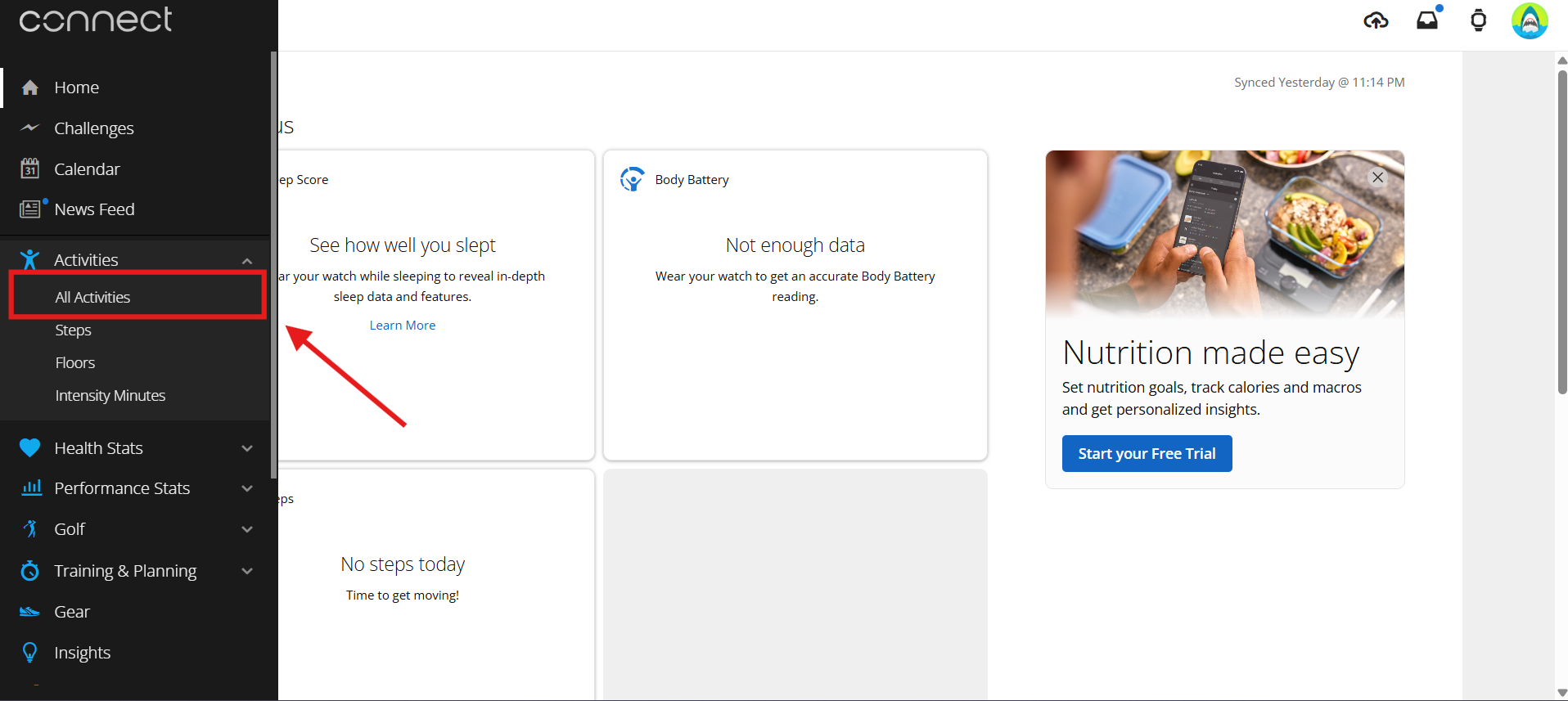
Open the activities page from the side menu to see a list of your recorded activities.
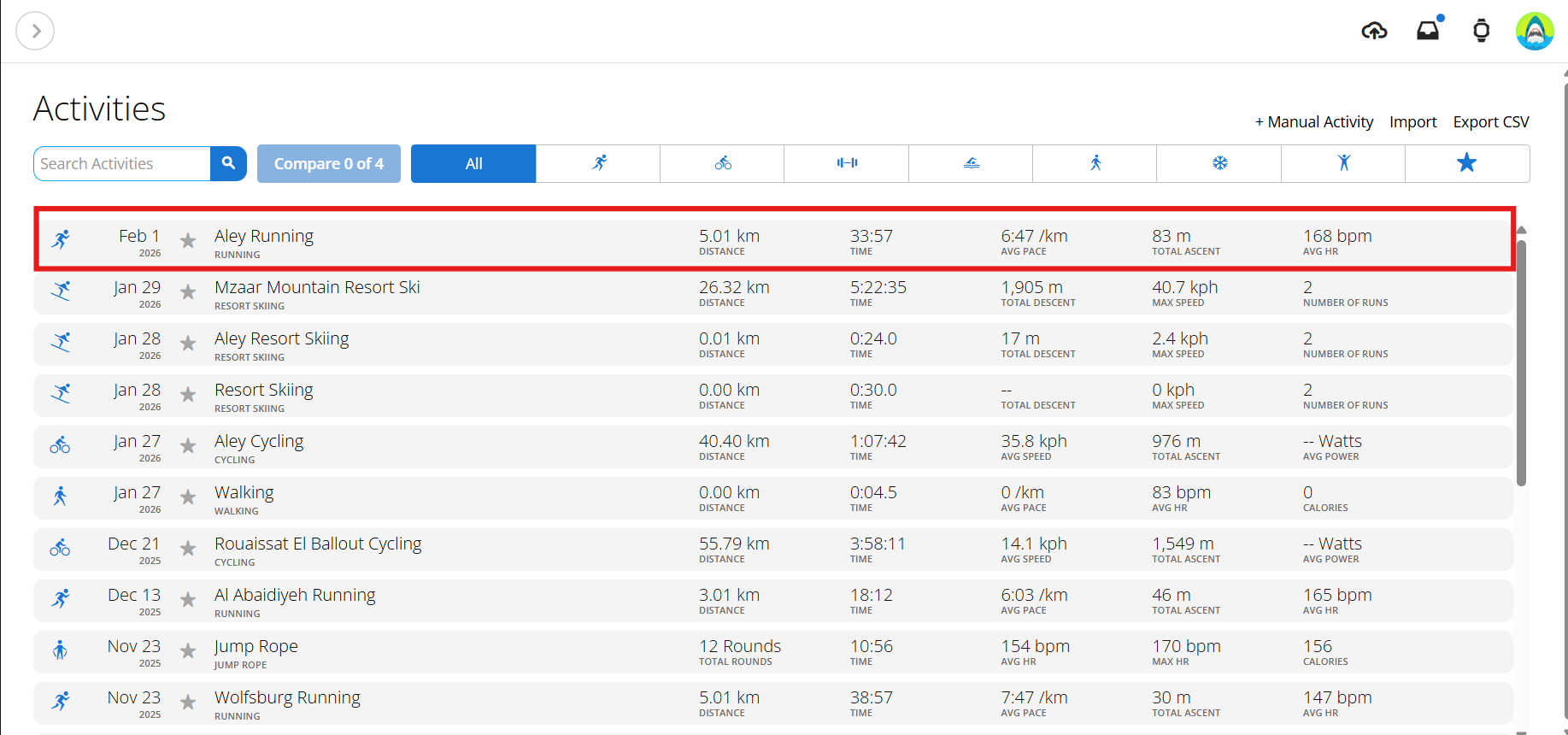
Find the activity you want to export and click on it to open the activity details page.
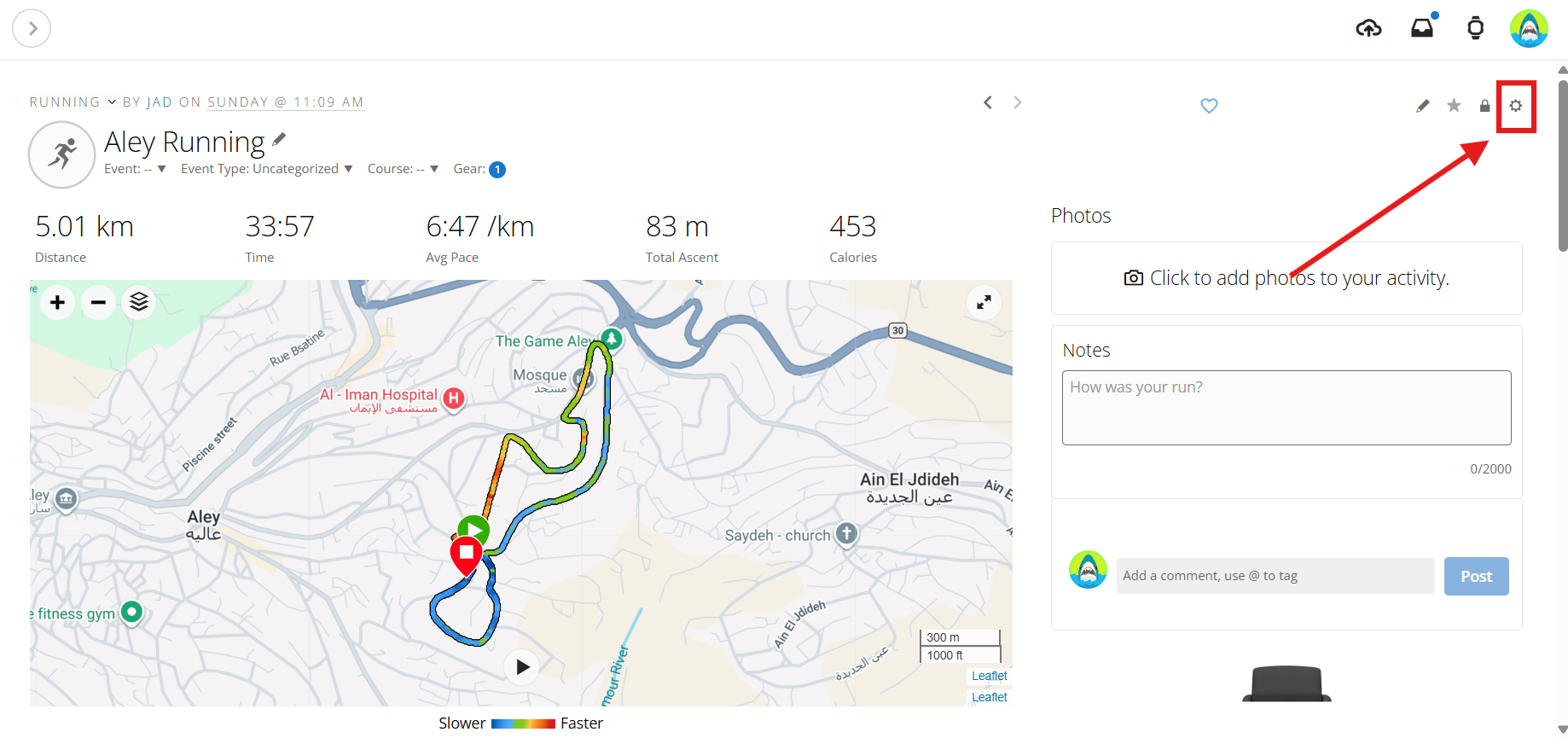
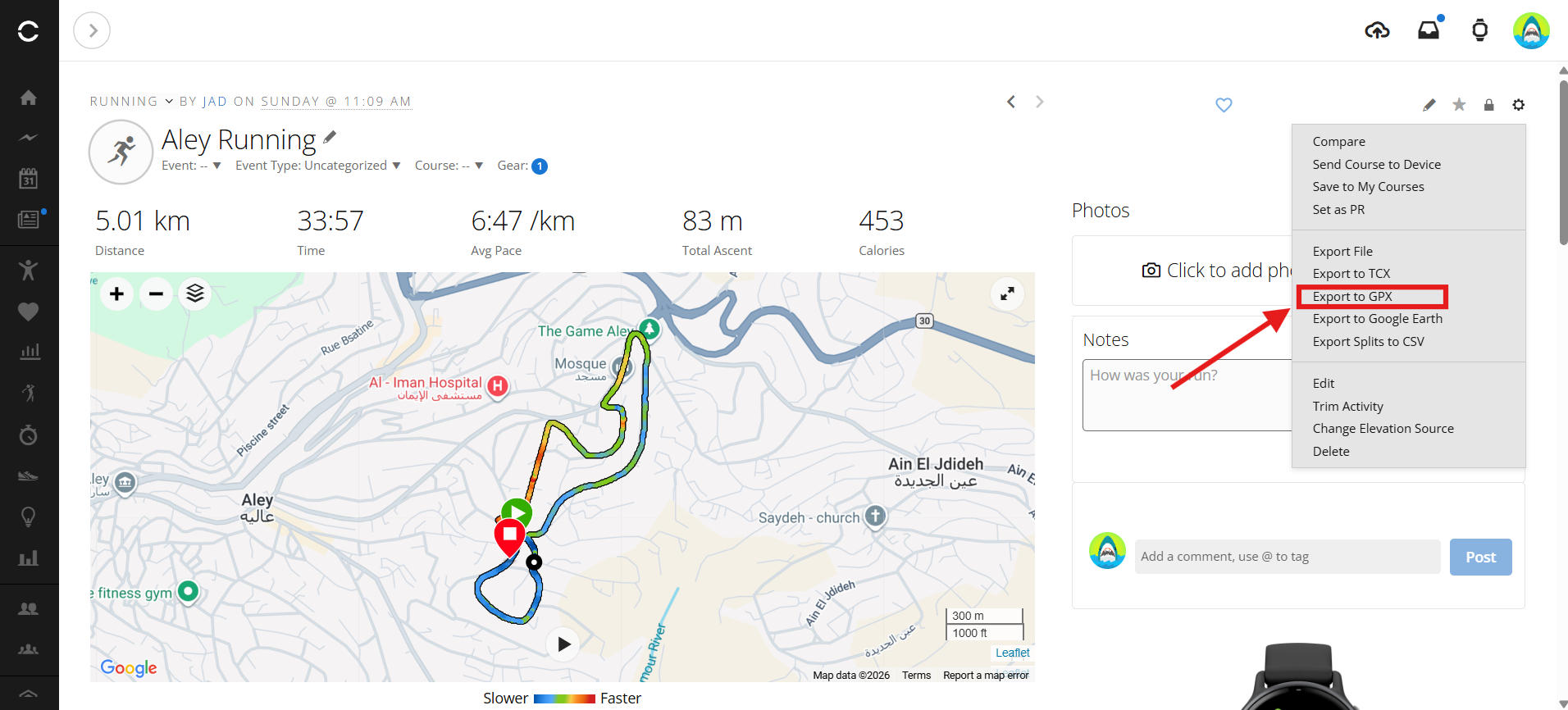
On the activity details page, look for the 'Settings' option (usually represented by a gear icon on the top right side). Click on it to see export options.
Select 'Export to GPX' from the export options. This will download the GPX file of your activity to your computer.
Once you have the GPX file downloaded, you can upload it to Vectora to create your overlay video.